
Retake AI: Face & Photo Editor
Deep Flow AppsPhotography
3.72.58K Reviews
- Version
- 4.2.3
- Installs
- 10.00M
- Age Rating
- Everyone
Screenshots
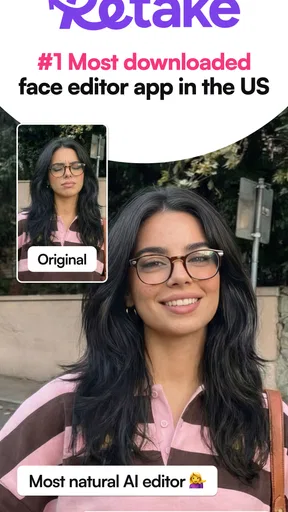
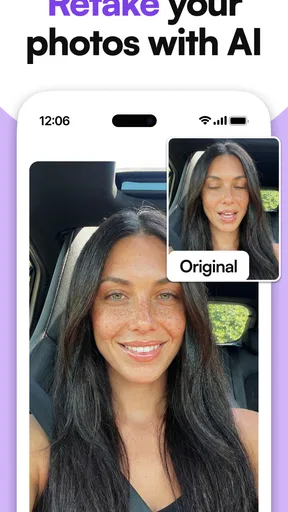

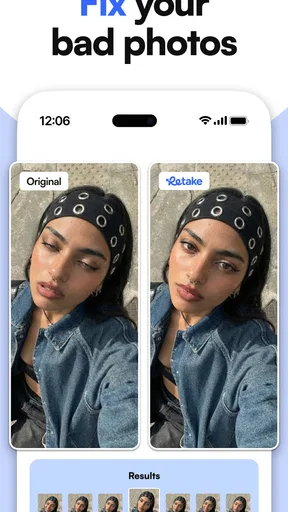
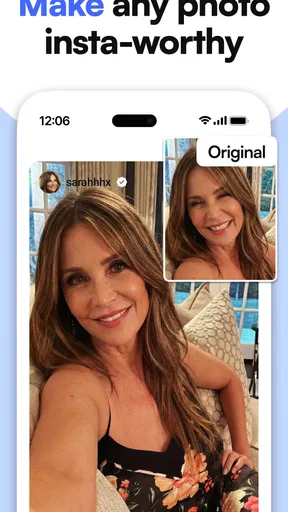
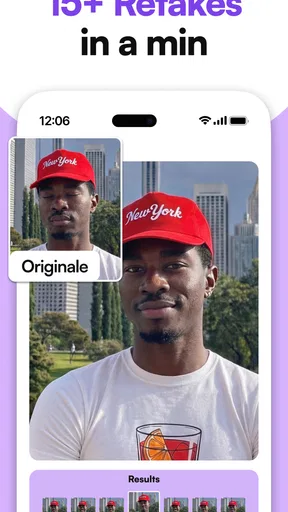
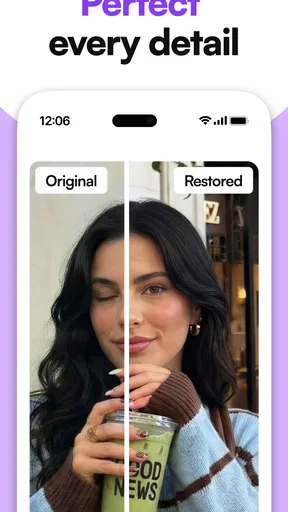
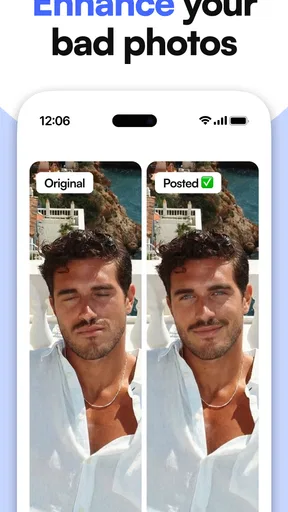
Our Review of Retake AI: Face & Photo Editor
 Analysis by Appyee
When I want a portrait to look a little more polished without opening a full desktop editor, I look for something that keeps the process simple and lets me judge the result before sharing. Retake AI: Face & Photo Editor is built around that kind of quick photo touch-up, especially for selfies and other images where a face is the main focus. I’d treat it as a convenient finishing tool, not a replacement for careful, hands-on editing.
What to expect from the editing pace
The appeal of an AI-assisted editor is that it can reduce the number of small adjustments I have to make myself. Rather than beginning with a blank canvas and tuning every control, I can start with a photo and see what the app offers. That is useful when I want to improve a casual portrait, but it does not mean every image will be ready instantly or that an automatic suggestion will suit the shot. I still want to inspect the result closely, particularly around hair, skin edges, and busy backgrounds.
For an everyday workflow, I’d choose one photo, make a restrained adjustment, and compare it with the original before doing anything else. That quick check helps me catch edits that make skin look too smooth or shift the overall character of a face. If the first result feels heavy-handed, backing off is better than adding more changes in the hope that they will balance out.
When editing becomes a heavier task
Light portrait touch-ups and working through a larger group of pictures are different kinds of use. The latter takes more attention even when an app offers ways to reuse edits: lighting, expression, framing, and background can vary from one image to the next. I would not assume that a setting that looks natural on one selfie will suit every photo in a set. A batch-style workflow can save repetitive effort, but it still calls for spot-checking individual results.
A practical example is getting several pictures ready after a family gathering. I might use the same general look as a starting point, then open the most important shots one by one to check faces and composition. That is a better trade-off than applying identical changes blindly. For a few images, careful individual edits may actually feel quicker because there is less time spent correcting a batch that does not quite fit.
Reliability means checking the result
Photo editing is forgiving in one important way: I can usually decide whether an image looks right before I share it. Still, an AI suggestion is not the same as a dependable creative decision. A portrait taken in dim light, a face partly covered by hair, or a group shot with several people can give an editor a more complicated job than a clear, close selfie. I’d treat those cases as reasons to inspect the output more carefully, not as proof that the app will fail.
I also prefer to keep an untouched copy of pictures I care about. That gives me an easy way back if an edit no longer feels right later, and it makes comparisons more honest. Before sharing, I check whether the retouching is consistent with the rest of the photo; a polished face against a grainy or unevenly lit scene can look out of place even when the facial adjustment itself seems neat.
Device fit and practical limits
The app is a free photography editor from Deep Flow Apps, with optional in-app purchases ranging from $1.99 to $59.99 per item. It is rated for Everyone, and its current version is 3.0.6, with Android 8.0 as the minimum operating-system requirement. Those details make it easier to judge whether it fits your device and budget, but they do not tell me how quickly it will handle every photo on every phone. Large images and demanding edits can feel different across devices, so I’d try a representative picture before committing to a long editing session.
Retake AI has an average rating of 3.9 from around 52,000 ratings, with roughly 2,200 written reviews and more than 10 million installs. I read that broad adoption as a reason the app is worth considering, not a guarantee that its style or workflow will suit everyone. The free entry point lowers the barrier to trying it, while the range of optional purchases is a reminder to check what is included before paying for anything.
The Magic of AI Editing
Alright, so let's talk about the magic ingredient here: Artificial Intelligence. Retake AI leverages AI to make photo editing feel like a breeze. You know those moments when you're trying to get rid of a pesky blemish or adjust the lighting just right? This app does it almost automatically. It's like having a tech-savvy friend who knows exactly how to make your photos pop.
Once you upload a photo, you’re greeted with a suite of editing tools. The app’s AI analyzes your image and offers a bunch of suggestions, from enhancing facial features to adjusting the background. It’s not just about fixing imperfections; it’s about creating a whole new vibe for your photos.
User-Friendly Interface
Let's be honest, nobody wants to spend hours trying to figure out how an app works. The first thing that caught my attention with this app is how user-friendly the interface is. Everything is laid out in a way that makes sense. The tools are clearly labeled, and there's a nifty tutorial that guides you through the basics if you ever get stuck. I was editing like a pro within minutes.
The app also allows you to save your favorite settings. So, if you have a particular style you love, you can apply it to every photo with just a tap. Talk about a time-saver!
Features that Stand Out
One of my favorite features has to be the Face Retouch tool. It’s like having a personal glam squad. You can smooth skin, whiten teeth, and even tweak facial features. Now, I know what you’re thinking – does it look fake? Surprisingly, no! The edits are subtle and natural-looking, which is a huge plus in my book.
Another standout feature is the Background Editor. We’ve all got that one photo where the background just doesn’t do the subject justice. With this tool, you can blur, change, or enhance the background with ease. It’s perfect for those shots where the setting isn’t quite as picturesque as you’d hoped.
Sharing and Saving
Once you’ve created your masterpiece, sharing it is a breeze. The app connects seamlessly with social media platforms, so you can post directly to Instagram, Facebook, or wherever else your heart desires. Plus, you can save high-resolution versions of your edits, which means printing them out later won’t compromise quality.
The app also allows for batch editing. So, if you’ve got a whole album of photos needing some love, you can apply edits to multiple images at once. It’s efficient and takes the hassle out of editing.
Choosing the right tool for the job
Compared with a general-purpose mobile photo editor, this app’s strongest case is its focus on portrait retouching and AI-led suggestions. If I want to make a face look more polished without learning a complex set of sliders, that focus is useful. A conventional editor is usually the better choice when I need precise control over exposure, color, cropping, or a consistent look across a carefully composed series. The choice is less about which app is universally better and more about whether I’m correcting a face or shaping the whole photograph.
It also sits in a different place from a social network’s built-in filters. Those are handy for a quick color effect, but a face-focused editor gives me a more direct route to portrait adjustments. I’d still avoid stacking several beauty effects from different apps: each pass can make skin look less natural, and it becomes harder to tell which change caused the result. For a clean workflow, I’d make the portrait adjustment here, review it at normal viewing size, and use another editor only if the image needs a broader correction.
A sensible routine for everyday portraits
Imagine taking a quick selfie before meeting friends. The lighting is acceptable, but a small blemish draws your eye, and the room behind you is distracting. I’d start with the lightest facial correction that addresses the blemish, then decide whether the background needs attention. I would not automatically reshape features simply because the option exists; the most convincing edit is often the one that leaves the person looking like themselves.
For a profile picture, I’d also check the crop after retouching. A face can look balanced in the full image but feel crowded once displayed in a small circular frame. Before exporting or posting, I’d preview the crop at the size people are likely to see it, rather than judging only from the editor’s full-screen view. That small habit can prevent a polished image from feeling awkward when used as an avatar.
For a trip or event album, I’d separate portraits that need face work from landscape and detail shots. Retouching is most useful when the subject is a person; for a sunset, a building, or a food photo, a standard editor’s overall color and exposure controls may be more relevant. This keeps the app’s specialized tools from becoming an unnecessary step in a mixed camera roll.
Natural results take a light touch
Face editing can be personal. Some people want a visibly stylized look, while others only want a temporary distraction reduced. I’d use the original image as a reference throughout, not just at the end, and make one kind of adjustment at a time. That makes it easier to notice when a change starts altering the expression or the texture that makes the portrait feel real.
Group photos deserve extra care. A subtle edit that works on one face may be too strong on another, and a uniform treatment can make everyone look unusually smooth. I’d review each face at a useful zoom level and avoid treating a whole group as if it were a single portrait. When the image matters, a few careful individual checks are worth more than saving time with a broad effect.
Background edits also benefit from restraint. A blur or replacement can draw attention toward the subject, but edges around hair and shoulders are where artificial-looking transitions are easiest to notice. I’d inspect those boundaries before sharing and choose a less dramatic treatment if the cutout does not blend convincingly with the scene. A modest improvement is better than an obvious separation between person and background.
What to consider before relying on it
If you are wondering whether it is suitable for casual use, I think it makes the most sense for people who regularly take selfies, portraits, or social photos and want a straightforward way to refine them. Beginners may appreciate not having to build every adjustment from scratch. Someone who edits professionally, needs detailed control over every part of an image, or prefers untouched photographs may be happier with a more manual editor or no retouching at all.
It is also reasonable to ask whether the free app is enough. I’d begin with the free experience and decide whether the tools I actually use justify an optional purchase; the listed in-app purchase range is broad, so I would check the specific item and its cost before confirming anything. There is no need to pay just because an editor presents additional options. If my needs are occasional and limited to a few small corrections, I’d first see whether the basic workflow covers them.
On performance, I would avoid promising the same response on every device. A simple edit on a recent phone may feel very different from processing a large image on older hardware, and the Android minimum is not a guarantee of equal speed across all supported devices. I’d test one typical photo, keep other demanding apps closed if the phone is struggling, and work through a handful of pictures before starting a large session. That is a practical way to judge comfort without assuming a speed or resource level the app cannot guarantee.
Who will get the most from it
I’d recommend giving this editor a try if you want approachable portrait touch-ups and are willing to review AI-assisted changes rather than accept them automatically. It is particularly suited to quick personal photos where a small correction can make the image feel more finished. If your priority is exact color grading, detailed masking, or a fully manual workflow, a traditional photo editor is likely a better fit. If you dislike changing faces in photos, its central emphasis may simply not match what you want from an editing app.
My practical verdict is to treat it as a portrait specialist in a broader photography toolkit. Use it for the face-focused jobs it is designed to handle, keep edits modest, and check the finished picture at the size and context where you plan to share it. That approach gives the app room to be useful without asking it to replace every other editing tool or make creative decisions on your behalf.
Final Thoughts
In the end, Retake AI: Face & Photo Editor is a game-changer for anyone looking to spruce up their photos without diving into complicated software. It’s got the right mix of powerful features and ease of use, making it accessible to everyone from beginners to seasoned photographers.
While it might not replace professional editing tools entirely, it’s a fantastic option for quick and effective edits on the go. Whether you’re touching up selfies or creating stunning landscapes, this app has got something for everyone. If you haven’t already, give it a shot – your camera roll will thank you!
Privacy and Permissions
See what permissions an app requests and how it handles your data.
- Phone
- read phone status and identity
- Photos/Media/Files
- read the contents of your USB storage, modify or delete the contents of your USB storage
- Storage
- read the contents of your USB storage, modify or delete the contents of your USB storage
- Device ID & call information
- read phone status and identity
- Other
- view network connections, full network access, run at startup, control vibration, prevent device from sleeping, Google Play license check, read Google service configuration
Verdict
Strengths of Retake AI: Face & Photo Editor
- Intuitive interface makes editing easy.
- Wide range of editing tools available.
- AI enhances photo quality effectively.
- Fast processing with minimal lag.
- Supports various photo formats.
Limitations of Retake AI: Face & Photo Editor
- Occasional ads disrupt editing flow.
- Limited free features without subscription.
- Requires internet for certain tools.
- Some features need fine-tuning.
- Can drain battery quickly on older devices.
Other Releases by Deep Flow Apps
View All
Learn English, Spanish: Learna
Education4.6

IQ Masters - Brain Games
Education4.2

Nerd AI - Tutor & Math Helper
Education4.6

Chat AI: Ask Agent Anything
Productivity4.5
Similar Picks in This Category
View All
Google Photos
Google LLC4.4

Gallery
Google LLC4.2

Picsart AI Photo Editor, Video
PicsArt, Inc.3.9

B612 AI Photo&Video Editor
SNOW Corporation4.1

BeautyPlus-Selfie Photo Editor
PIXOCIAL TECHNOLOGY (SINGAPORE) PTE. LTD.4.5

Remini - AI Photo Enhancer
Bending Spoons4.1
Frequently Asked Questions
What features does Retake AI: Face & Photo Editor offer?
Retake AI: Face & Photo Editor provides a comprehensive suite of tools for enhancing your photos. It includes features such as AI-powered retouching, blemish removal, skin smoothing, and facial feature adjustments. Additionally, the app offers filters, background editing, and a variety of effects to make your photos stand out.
Is Retake AI: Face & Photo Editor available for both Android and iOS?
Yes, Retake AI: Face & Photo Editor is available for download on both Android and iOS platforms. Users can easily find the app on Google Play Store and Apple App Store. Ensure your device meets the minimum system requirements for optimal performance.
Does Retake AI: Face & Photo Editor require a subscription?
Retake AI: Face & Photo Editor offers a free version with basic features. For advanced editing tools and premium effects, users can opt for a subscription plan. The subscription provides unlimited access to all features and regular updates, enhancing the overall user experience.
How user-friendly is Retake AI: Face & Photo Editor for beginners?
Retake AI: Face & Photo Editor is designed with a user-friendly interface, making it accessible for beginners. The app provides easy navigation through its intuitive design, with helpful tutorials and tips for new users. Even those new to photo editing will find it easy to enhance their images.
What privacy measures does Retake AI: Face & Photo Editor have in place?
Retake AI: Face & Photo Editor is committed to user privacy and data protection. The app ensures that all edits are processed securely on your device, without uploading images to external servers. It adheres to privacy standards, offering users peace of mind regarding personal data security.
